Tech Office Visits – Past, Present, and Future

google office new york

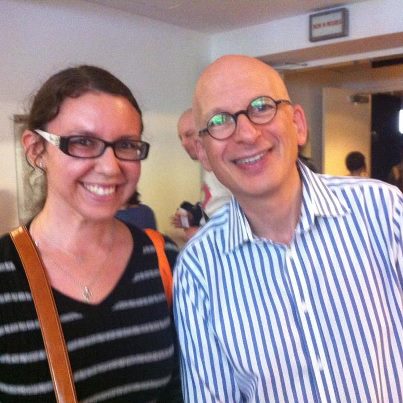
Last week I had the privelige to tour the NYC Google offices. Coming up in September, Digital DUMBO is hosting an event with Google Local and saw this as a great opportunity to visit their offices and meet a fellow Community Manager. (Side note: We both went to UCF, I love small world coincidences like that.)
google office new york

I’ve always had an obsession with visiting tech and other great brand’s offices in New York. Then I thought being the OCD list maker I am, wouldn’t it be fun to write down all the offices I’ve visited as well as the ones on my office “bucket list”.

Here’s my list. What are some of your favorite offices in the city?

Tech & Awesome Brands I’ve Visited:

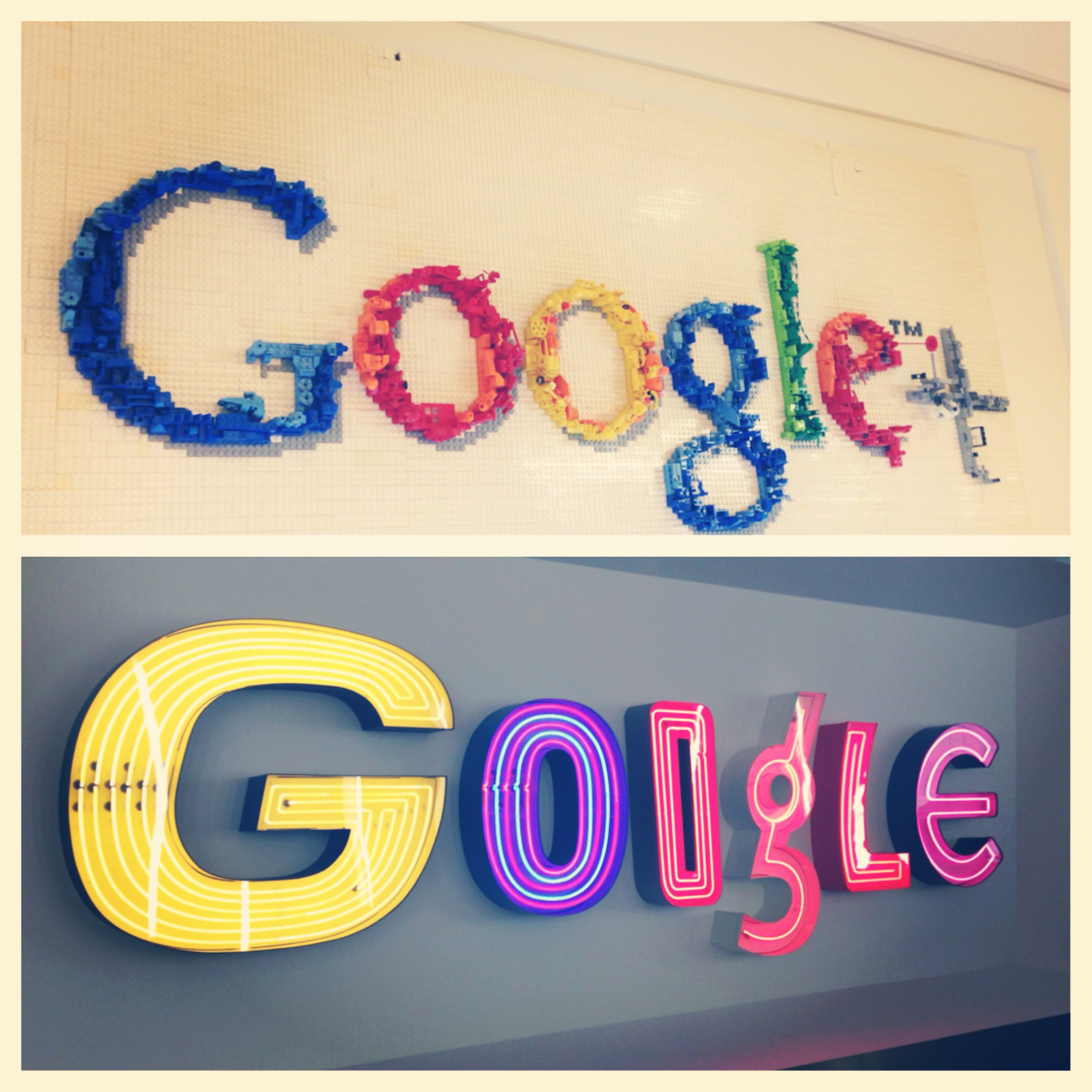
  • Google – They have about 4 cafeterias on one floor with great food + Legos.
  • Buzzfeed – Everything you’d image the Buzzfeed office would be.
  • Foursquare – Customized conference rooms named after badges, cafeteria with a calligrapher that comes in each week to write out the upcoming menu and craft beer for the following week.
  • Warby Parker – Dream company  + Showroom inside their offices!
  • Shutterstock – Photos on each elevator door.
  • AOL – Catered events.
  • AppNexus – Have their own auditorium space and cafeteria space for events and talks.
  • Flavorpill – Graffiti, high ceilings, lots of light, Friday lunches.
  • Tasting Table – Spacious, lots of light, test kitchens on site.
  • MKG – Each conference room is different and has a theme + word search board and photo booth.
  • Percolate – I haven’t seen the new offices, just the old one!
  • Tumblr – They have their own Grady’s Cold Brew fridge and Tumblr user artwork around the office.
  • Bitly – Pufferfish every where!
  • Tattly/ StudioMates – Always full of fun surprises.
  • Ogilvy – Huge and fancy.
  • Times Square Alliance – Over looks Times Square, of course.
  • Birchbox – So pink!
  • Artsy – Probably has the best view of the entire city. Like Top of the Rock good.
  • Vemeo – Huge and snacks galore! And they have their own popcorn machine.
  • General Assembly – Open space, good classroom environment.
  • Huge – The whole office has design in mind. They also name their conferences after celebs. Justin, Britney, Kim.
  • Sesame St. – Interactive Sesame Street coffee table, their creative department is more fun and colorful.
  • Squarespace  – Customer support has their own floor, and they have pretty great snackage.
  • Contently –  Epic bookshelf in color coordinated order.
  • MediaBistro – Went there for classes, it was a pretty ordinary office.

Company Bucket List

  • Adweek
  • Barkbox
  • NowThisNews
  • Jetblue
  • FAB
  • Big Spaceship
  • Gilt Group
  • Livestream
  • Chartbeat
  • Quirky
  • Uber
  • Seamless
  • Songza
  • Aereo
  • Fast Co.
Internet Inspiration: Living the most productive, healthiest life + vacation!

This is simply a post on things I’m getting excited about. Starting with…

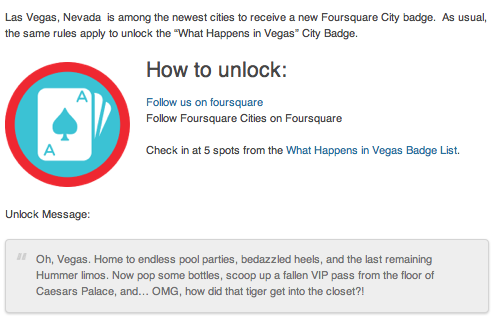
Vacation and scoring this Foursquare badge….

Foursquare Las Vegas City Badge:

Foursquare Las Vegas Badge

App & Devices

Honey.is

Honey.is:

Keep your team informed without the spam. Group mailing lists that automatically build and maintain your intranet while you work. Honey stores everything in the cloud for easy reference. Share once with everyone who will ever be involved with your project.

I’ve been currently using this with my team members to share articles and ideas found while browsing the web. Although, like the description says I’m sure it can be used for many other projects. There’s a plugin to use on your browser and find it more useful than when I tried using Stich/Evernote.

Pulse.me:

Pulse

Pulse takes your favorite websites and transforms them into a colorful and interactive mosaic.

My seamless way to read all my favorite industry and inspirational articles, websites, and blogs. You can also save and share articles.

Up by Jawbone:

Up by Jawbone

UP is a wristband and app that tracks your sleep, activity and food—then helps you use that information to feel your best and stay motivated with teammates.

Focusing on my health led me to this recommendation. It only works with iPhones and iPads right now, but the best part is that it tracks everything — you’re sleep, food, and activity. Knowing more about how I sleep, move, and eat have been so fascinating and helpful. New York is stressful enough, take care of yourself!

Applauze:

Applauze App

Applauze helps you discover, plan and attend the best events around you. 

Just discovered this app and love the interface. You search your location and it pulls up both free and paid events in your area. Best part is you can purchase tickets right through the app with no hidden charges.

+++++++++++++++++++

That’s all folks! I’m now officially starting vacation. BUT I always love productivity and apps. Please send recommendations my way!


5 Apps to Check Out This Week: 1/15

Apps to Check Out This Week Post by Nicole Monahan

I’m always trying to switch things up. Usually, I’m on the look out for what brands or campaigns caught my eye for the week. Yet, my first week back in the city was filled with an overflow of self-improvement and New Years Resolution filled articles and apps. I thought I would be a guinea pig this week. Here are a few of my favorite iPhone apps that will promote a digital streamlined workflow and help you stick to your New Years Resolutions.

Cue (Free):

Keep up with work, life, and the daily events you care about. Cue turns the accounts you depend on, like email, contacts and calendar, into an intelligent snapshot of your day. Cue surfaces the right details at the right time, so you’ll always be one step ahead.

cue app logoCue app example

I’m enjoying this app because it can link to Facebook and all of my contacts and calendar accounts giving me a snapshot of my day. My only real problem was that I never use my Google or iPhone calendar. I’m old school and use a planner. This may not be a bad thing though because it will force me to streamline my scheduling efforts. The app itself definitely reminds me of events/birthdays and connects all my contacts so I could email someone immediately if say I was running late for a meeting.

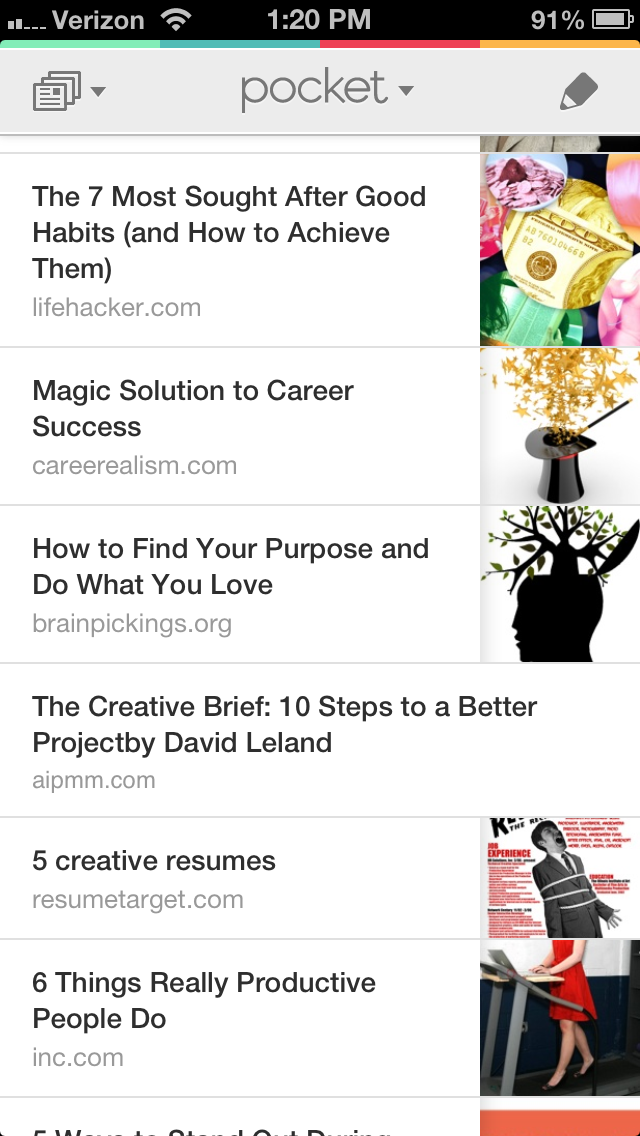
Pocket (Free):

When you find something you want to view later, put it in Pocket.

Pocket App LogoPocket App View Example How it Works

Pocket is a classic favorite of mine. I have it linked to my Twitter account and added the Google Chrome plugin to instantly store articles I want to read later. Then I’ll pull them up on my iPhone Pocket app and read them while I’m on the subway.

Lift (Free):

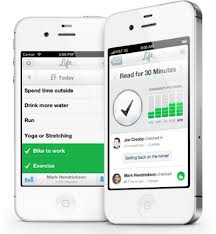
Lift helps you track and achieve habits through data visualization, streaks, and community support.

Lift App Logo Lift App Example How It Works

I’m so in love with this app. Mostly because there’s a set of habits I’ve joined (gym, read more, write, be grateful for someone or something) and I can open the app and “check in” to everything I did today. For one it reminds me of what I forgot to do, for example one habit is talk to at least one stranger. The other day I was like I’ve been neglecting this habit and finally I just did it. I asked a guy in line at Trader Joes about Bikram yoga. So silly but it really made me feel better, like I was making process. The other amazing thing about the app is users can write back to you on a check in or comment that you made, creating this whole support system/community.

Good news: I can now also cross off blog post and write something today!

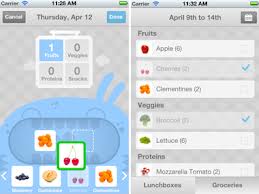
LaLaLunch (1.99 iPhone)

LaLa Lunchbox is an iPhone app that provides you and your hungry little monsters with a fun, easy way to plan and pack lunch.

LaLaLunchbox App Logo LaLaLunchbox App Details ScreenShot

I honestly haven’t test drove this app because I don’t have kids. But for those that do, it’s a simple way to plan and organize what’s for lunch. A bonus is the design work, simple and lovely.

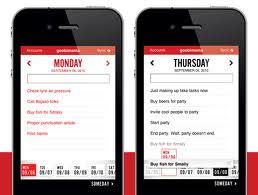
TeuxDeux (Currently Free!):

TeuxDeux is a simple, designy, free, browser-based to-do app.

TeuxDeux Logo TeuxDeux Mobile App Screenshot

This is a personally favorite of mine. I love how elegant and easy it is to use. It’s also quite a thrill to cross things off your daily lists.

—–

I’m obsessed with productivity, workflow, and apps with good design in mind. I’d love to make this a monthly thing, so if you have any favorite apps of your own let me know so I can include them in a future post! Thanks for reading. 🙂

The Art and Science of Making Things with Seth Godin

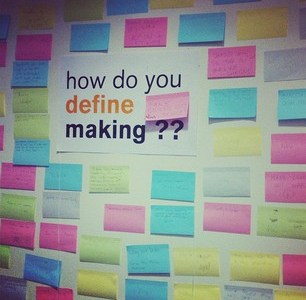
How do you define making?

Last weekend I made my way to the New York Hall of Science for the annual Maker Faire. Now with 2 years under my belt it is definitely an event worth checking out. This year I was particularly giddy to get the chance to see a presentation from one of my ideals Seth Godin.

Seth Godin

Here are a few of my key takeaways from his speech:

Learn by doing things wrong. 

The guy who invented the ship, also invented the shipwreck.

In schools, particularly in science classes, we are programmed to show that we know how to do the steps done by scientists 40 to 400 years ago. And when we try to test something new or do something different we get in trouble and get marked down.

Rembrandt had assistants, yet we don’t know who they are because they did exactly what Rembrandt wanted them to do.

If you’re doing something that might not work, you’re making — and that’s risky.

If you’re not willing to fail you’re not willing to innovate. 

Even at the Maker Faire you see people buying these science kits to do at home. We do this because we naturally want something to work. We’re programmed this way, otherwise it feels uneasy to us.

With the internet, social media, and technology, we now have the ability to connect. We also need to get better at connecting and not being afraid to share things we’re working on. Instead, what we should be saying is: “I made this, what do you think? How can I make this better?”

We naturally connect to those that are doing work that matters.

Start asking yourself:

  1. What is school for?
  2. If you are a maker, what have you made recently that you failed at?
  3. What have you made that was interesting, why haven’t you shared it? You should be sharing — it’s the connecting that helps you get better at it.

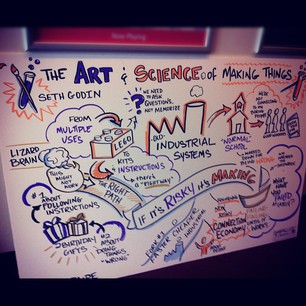
Visual interpretation of Seth Godin's Maker's Faire talk

This was a visual interpretation of Seth Godin’s speech. To hear the full version of his presentation — you can view the full talk here.

Social Marketing Mondays: iPhone 5

Apple We'll Be Back Message

The announcement of the iPhone 5 — biggest tech news that came out last week.

It certainly couldn’t be ignored on my news feed, so this week I am bringing you my favorite and not so favorite social media updates on it.

Mashable

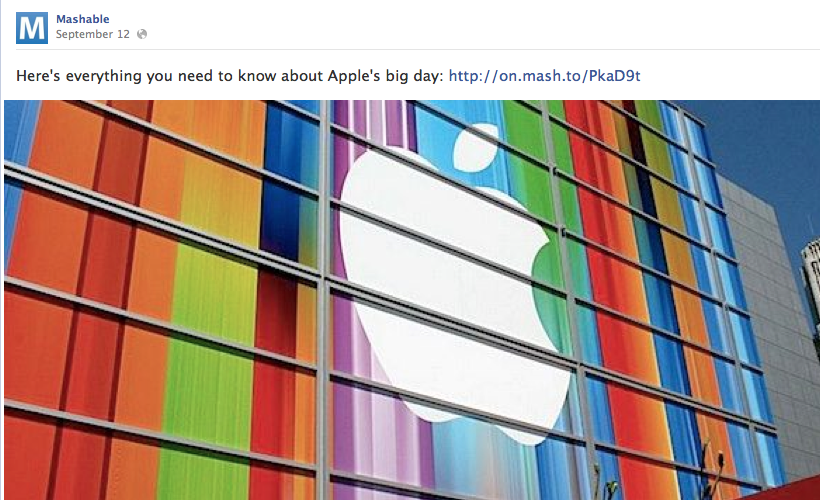
Mashable and iPhone 5 Facebook Updates

Mashable‘s never and I mean NEVER ending updates. Without a doubt, this announcement was very fitting for their brand, but it felt overwhelming to me… Like Black Friday or a college textbook store when they know this is it! This is their big day and they only have a small window of time to market — Yeah I’d say that’s what it felt like. Yet, in all honest it’s not their single biggest day. They have so many channels from tech, to business, to social good.

Stretch it out, I felt like I was walking down a perfume isle the day before Christmas. It’s too much!

BuzzFeed

BuzzFeed iPhone 5 Facebook Update

BuzzFeed on future predictions for the iPhone. I love how the photo says it all here — saying so much with so little.

Society6

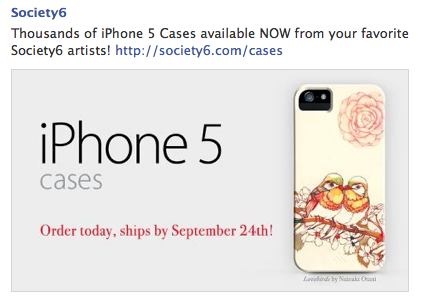
Society6 New iPhone 5 Cases

Society6 embraces a problem that the new iPhone 5 will face (besides the new charger outlet) — cases. They are already a step ahead of the game by saying, hey we’ve thought about this, they’re available and can be shipped to you in about a week. Not the same day as when the actual iPhone ships, if you pre-ordered, BUT it is better than this next solution….

Threadless

Threadless iPhone cases- Get rid of the old

This was one of Threadless‘ responses to the iPhone 5. What I get from this Facebook update is sheer panic to get rid of the old cases. It may not be conveyed in the copy but the timing on this was the day after the announcement. Compared to Society6’s response, the feel of this makes me uneasy. Maybe I like a brand that will provide me with a solution to a new change. I think that’s called trust and thinking ahead for your customers.

Curators Conference Recap: Curate your Life

Curators Conference 2012

Curator's Conference Banners of Speakers

Last week I participated in the Curators Conference. As I did not want to pay $400 for admission, I decided to take what I like to call the “Hustler Approach” and volunteer for the event. To say the least it was a gruesome 12 hour day, but well worth not having to shell out the cash for the conference. Another positive was getting to experience the inner workings of running a conference, something I’ve always wanted to do.

While being a volunteer does face the disadvantage of being able to seeing every speaker, a few speakers I did manage to see stood out to me. Specifically Soraya Darabi, who is the co-founder of Foodspotting and was formerly in charge of NYTimes’ Social Media. As most speakers took the approach to talk about their company and what they do, Soraya instead, walked us through an hour by hour snapshot of her day with the apps and websites she uses daily– curating her life through social.

Her day consisted of this:

Cir.ca: News, re-imagined. (New app -not yet released.)

Path: Staying connected with family & close friends.

Reading websites: Portable, Brain Pickings, Cool Hunting

Work Flowy: Organize your brain. This tool helps organize personal to-dos, collaborate on large team projects, take notes, write research papers, keep a journal, plan a wedding, and much more.

Sparrow:  Combining email and social at the same time.

BrandYourself: Curating SEO results, your personal brand, and Google results.

Foodspotting: Visual guide to good food and where to find it.

Spotify:  Digital music service that gives you access to millions of songs.

Google + Hangouts: Video chatting, face to face.

Vimeo Staff Picks: Online videos, handpicked by the staff at Vimeo.

Art Stack: Social platform for art – the best way to discover art is through people.

Highline Park + Think + Paper: She uses this hour to get offline. Reflecting on accomplishments you made today or want to make in the future.

Brewster: Your personal address book.

Highlight: Gives you a sixth sense about the world around you, showing you hidden connections and making your day more fun.

Svpply: Online shopping. Helps you find the products you love, from the people and stores you find interesting.

This break down left me wondering– is this even true? Does anyone have a breakdown hour by hour of applications they use? Probably not, even Soraya mentions she only uses specific apps and only the most productive ones that meets her own needs. Perhaps it isn’t possible, but this doesn’t mean you shouldn’t have productivity in mind.

Continuing to thinking about this concept I asked myself —Is anyone this organized? What is my daily routine?

Looking at my past few days, weeks, even months I realized I honestly don’t have one. I love to stop what I’m doing to help others but I haven’t really helped myself. Feeling completely unorganized with managing my own priorities, this is something I need to start changing.

Last night I stumbled upon a few TED Talks for inspiration and came across Matt Cutts’ speech, “Try something new for 30 days.”

“Small sustainable changes are more likely to stick.” I may not have a solid play-by-play of every hour of my day, but I can start by making small sustainable changes.

Things I would like to try for 30 days:

Dedicate an hour a day to:

  • Writing
  • Reading
  • Learning Italian
  • Gym time
  • Personal time– Including everything I need to catch up on in life, from Twitter updates to planning my birthday trip.
  • Cooking one new recipe a week
  • Trying one new restaurant per week
  • Meet 5 new people per week

Like Matt says, “the next 30 days are going to happen whether you like it or not, why not do something you’ve always wanted to try.”

What is one thing you would try for 30 days?

Social Marketing Mondays: Back to School

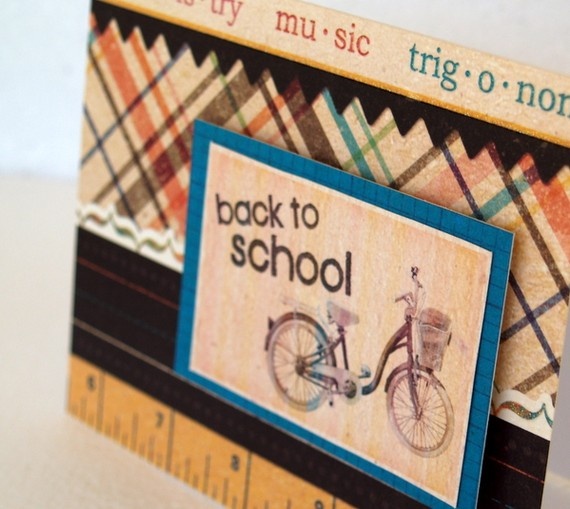
Back to School

Back to School

It’s almost Fall, kids are going back to school, and brands got the message. This weeks picks includes an interesting mix of approaches to using social media marketing for a back to school audience. Going into this research I was faced with the idea that everything would be marketed like on the Today Show with free haircuts, penny pencils, healthy lunches, angry bird backpacks. You get the idea. However I was pleasantly surprised at how these brands were thinking outside the box.

Biggest Takeaway: There is no single approach to marketing for back to school nor just a soccer mom audience anymore. 

Here’s what happened on social this week:

Twitter: Back to School

Knowing your audience

Who is on Twitter? According to Quantcast the majority isn’t moms or children, the highest age demographic is between 18-34. This demographic tone is easily recognizable in these two Twitter back to school campaigns.

MediaBistro’s #TeacherStories

Having taken numerous MediaBistro classes, I am definitely a supporter of their classes and teachers. Thus I was happy to find out about MediaBistro’s Twitter contest which asks users to Tweet @mediabistro and share a story about your favorite teacher or best teacher experience using #teacherstories. It’s not targeting to moms or teens but instead anyone who has an inspiring story to tell about a former teacher.

MediaBistro Twitter Contest Teacher Stories

Late Night with Jimmy Fallon #MyCrazyTeacher

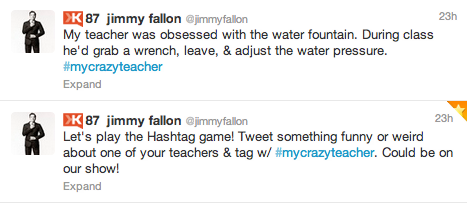
In contrast, Jimmy Fallon uses humor as his weapon of choice, while asking fans to Tweet something funny or weird about one of your teachers using #mycrazyteacher. It isn’t that these two twitter campaigns can’t target teens or parents but I get the thought process behind it. Both are tapping into an experienced yet still youthful audience. Both want stories from people who have had a number of experiences with teachers worth remembering and sharing.

Here is the video of the best #mycrazyteacher submissions.

Jimmy Fallon #MyCrazyTeacher Tweet

Facebook: Back to School

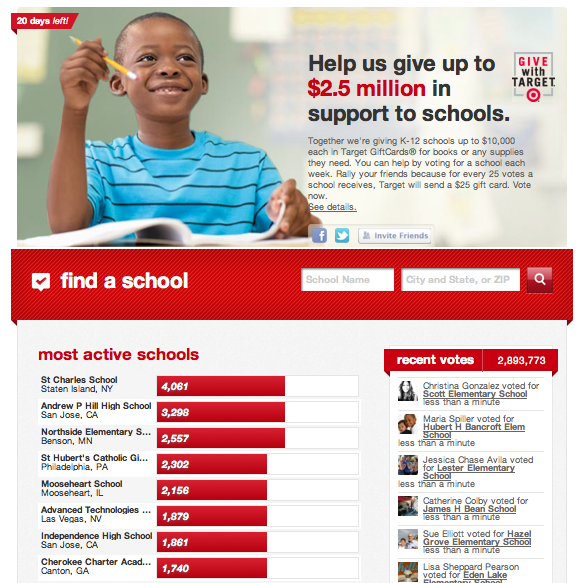
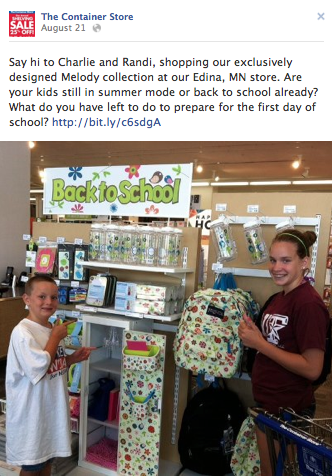
Below are four different example from brands that demonstrate multiple approaches to Facebook Marketing. Target’s Give with Target campaign uses Facebook as a landing page to support schools in need. Gilt City has a Back to Fall SweepstakesMashable is surrounding learning through their editorial content, and The Container Store threw up a Facebook post on customers shopping for back to school supplies.

Target: Give with Target

Give with Target Facebook Campaign

Gilt City: Back to Fall Sweepstakes

Gilt City Back to Fall Sweepstakes

Mashable: 10 Must-Have Apps for Successful High School Students

Mashable Back to School Apps

The Container Store: Facebook Fan Appreciation

The Container Store- Store Customers Shopping Back to School