Internet Inspiration: Living the most productive, healthiest life + vacation!

This is simply a post on things I’m getting excited about. Starting with…

Vacation and scoring this Foursquare badge….

Foursquare Las Vegas City Badge:
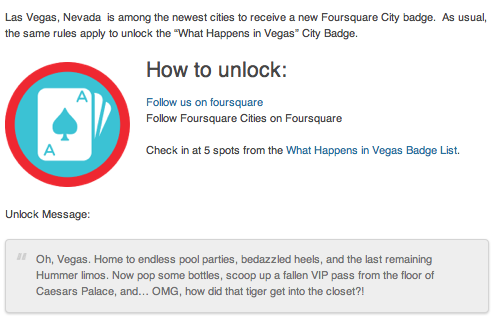
Foursquare Las Vegas Badge

App & Devices

Honey.is

Honey.is:

Keep your team informed without the spam. Group mailing lists that automatically build and maintain your intranet while you work. Honey stores everything in the cloud for easy reference. Share once with everyone who will ever be involved with your project.

I’ve been currently using this with my team members to share articles and ideas found while browsing the web. Although, like the description says I’m sure it can be used for many other projects. There’s a plugin to use on your browser and find it more useful than when I tried using Stich/Evernote.

Pulse.me:

Pulse

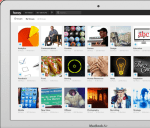
Pulse takes your favorite websites and transforms them into a colorful and interactive mosaic.

My seamless way to read all my favorite industry and inspirational articles, websites, and blogs. You can also save and share articles.

Up by Jawbone:

Up by Jawbone

UP is a wristband and app that tracks your sleep, activity and food—then helps you use that information to feel your best and stay motivated with teammates.

Focusing on my health led me to this recommendation. It only works with iPhones and iPads right now, but the best part is that it tracks everything — you’re sleep, food, and activity. Knowing more about how I sleep, move, and eat have been so fascinating and helpful. New York is stressful enough, take care of yourself!
Applauze:

Applauze App

Applauze helps you discover, plan and attend the best events around you. 

Just discovered this app and love the interface. You search your location and it pulls up both free and paid events in your area. Best part is you can purchase tickets right through the app with no hidden charges.

+++++++++++++++++++

That’s all folks! I’m now officially starting vacation. BUT I always love productivity and apps. Please send recommendations my way!



5 Apps to Check Out This Week: 1/15

Apps to Check Out This Week Post by Nicole Monahan

I’m always trying to switch things up. Usually, I’m on the look out for what brands or campaigns caught my eye for the week. Yet, my first week back in the city was filled with an overflow of self-improvement and New Years Resolution filled articles and apps. I thought I would be a guinea pig this week. Here are a few of my favorite iPhone apps that will promote a digital streamlined workflow and help you stick to your New Years Resolutions.

Cue (Free):

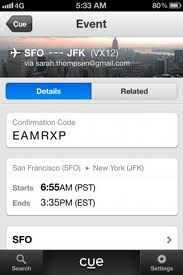
Keep up with work, life, and the daily events you care about. Cue turns the accounts you depend on, like email, contacts and calendar, into an intelligent snapshot of your day. Cue surfaces the right details at the right time, so you’ll always be one step ahead.

cue app logoCue app example

I’m enjoying this app because it can link to Facebook and all of my contacts and calendar accounts giving me a snapshot of my day. My only real problem was that I never use my Google or iPhone calendar. I’m old school and use a planner. This may not be a bad thing though because it will force me to streamline my scheduling efforts. The app itself definitely reminds me of events/birthdays and connects all my contacts so I could email someone immediately if say I was running late for a meeting.

Pocket (Free):

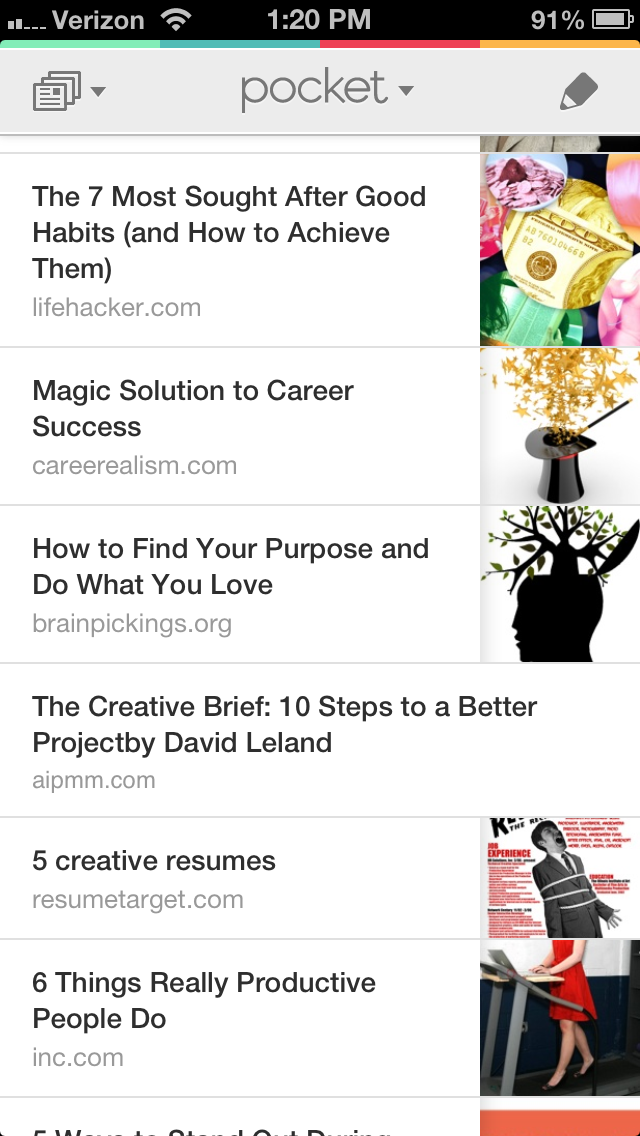
When you find something you want to view later, put it in Pocket.

Pocket App LogoPocket App View Example How it Works

Pocket is a classic favorite of mine. I have it linked to my Twitter account and added the Google Chrome plugin to instantly store articles I want to read later. Then I’ll pull them up on my iPhone Pocket app and read them while I’m on the subway.

Lift (Free):

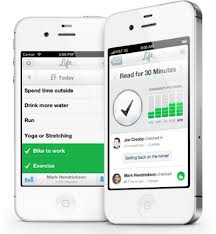
Lift helps you track and achieve habits through data visualization, streaks, and community support.

Lift App Logo Lift App Example How It Works

I’m so in love with this app. Mostly because there’s a set of habits I’ve joined (gym, read more, write, be grateful for someone or something) and I can open the app and “check in” to everything I did today. For one it reminds me of what I forgot to do, for example one habit is talk to at least one stranger. The other day I was like I’ve been neglecting this habit and finally I just did it. I asked a guy in line at Trader Joes about Bikram yoga. So silly but it really made me feel better, like I was making process. The other amazing thing about the app is users can write back to you on a check in or comment that you made, creating this whole support system/community.

Good news: I can now also cross off blog post and write something today!

LaLaLunch (1.99 iPhone)

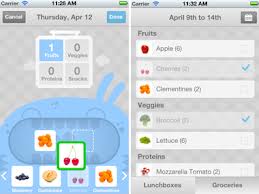
LaLa Lunchbox is an iPhone app that provides you and your hungry little monsters with a fun, easy way to plan and pack lunch.

LaLaLunchbox App Logo LaLaLunchbox App Details ScreenShot

I honestly haven’t test drove this app because I don’t have kids. But for those that do, it’s a simple way to plan and organize what’s for lunch. A bonus is the design work, simple and lovely.

TeuxDeux (Currently Free!):

TeuxDeux is a simple, designy, free, browser-based to-do app.

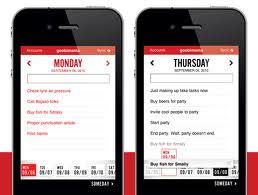
TeuxDeux Logo TeuxDeux Mobile App Screenshot

This is a personally favorite of mine. I love how elegant and easy it is to use. It’s also quite a thrill to cross things off your daily lists.

—–

I’m obsessed with productivity, workflow, and apps with good design in mind. I’d love to make this a monthly thing, so if you have any favorite apps of your own let me know so I can include them in a future post! Thanks for reading. 🙂